Photo to knitting chart · Free
Turn any photo or picture into a knitting chart
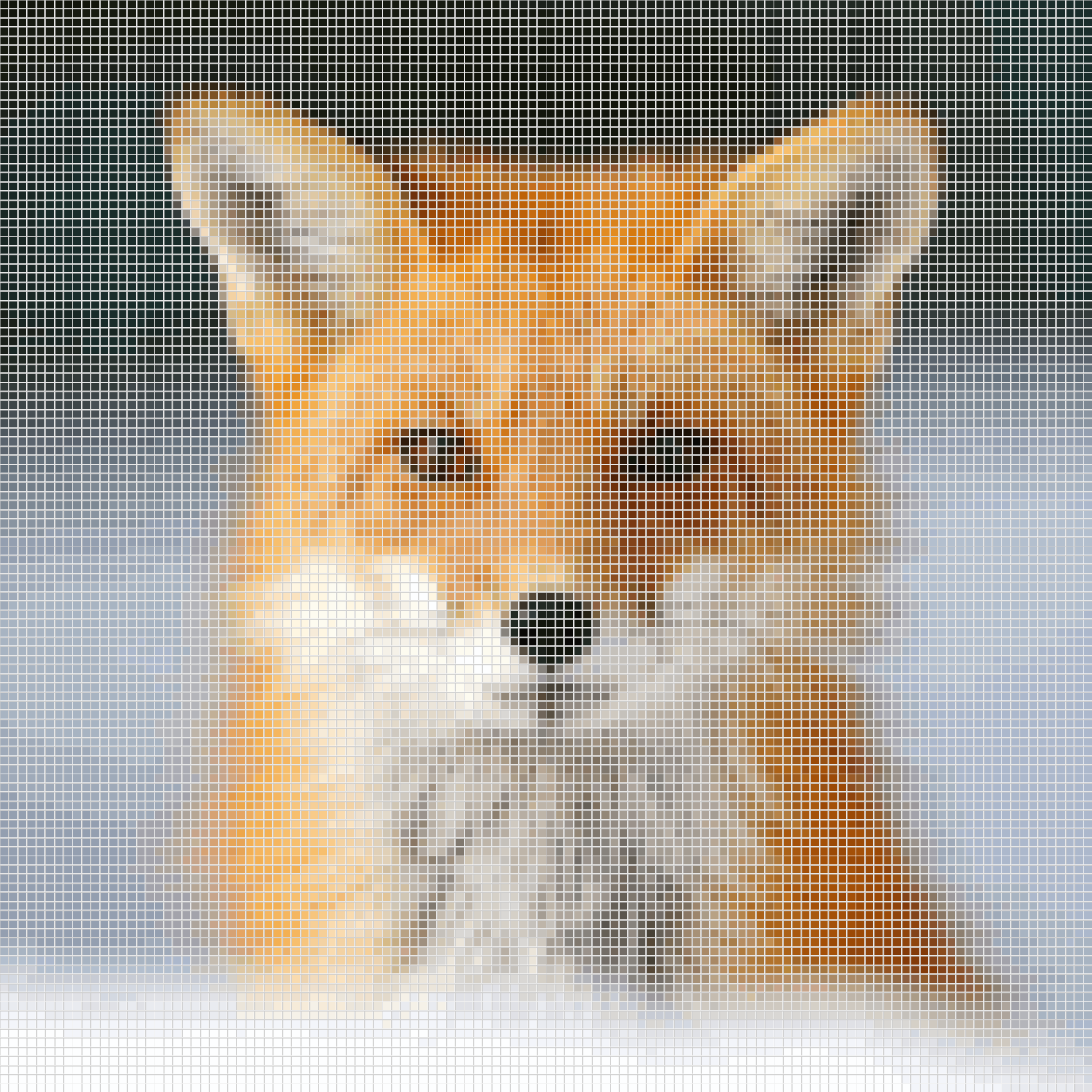
Drop in a photo and StitchOwl converts it into a colorwork knitting chart you can edit, for Fair Isle, stranded or intarsia, with every right-side and wrong-side row written out.
Converts to a colorwork chartFair Isle, stranded and intarsia charts, one color per stitch.
Drop a photo here
JPG, PNG, GIF or WebP
Photos convert on your device and are never uploaded.
- in JPG, PNG, GIF or WebP
- Any photo
- stitches and rows free, 700 × 700 with Pro
- 300 × 300
- photos uploaded: it runs on your device
- 0
- chart and every row written out
- Free
Example
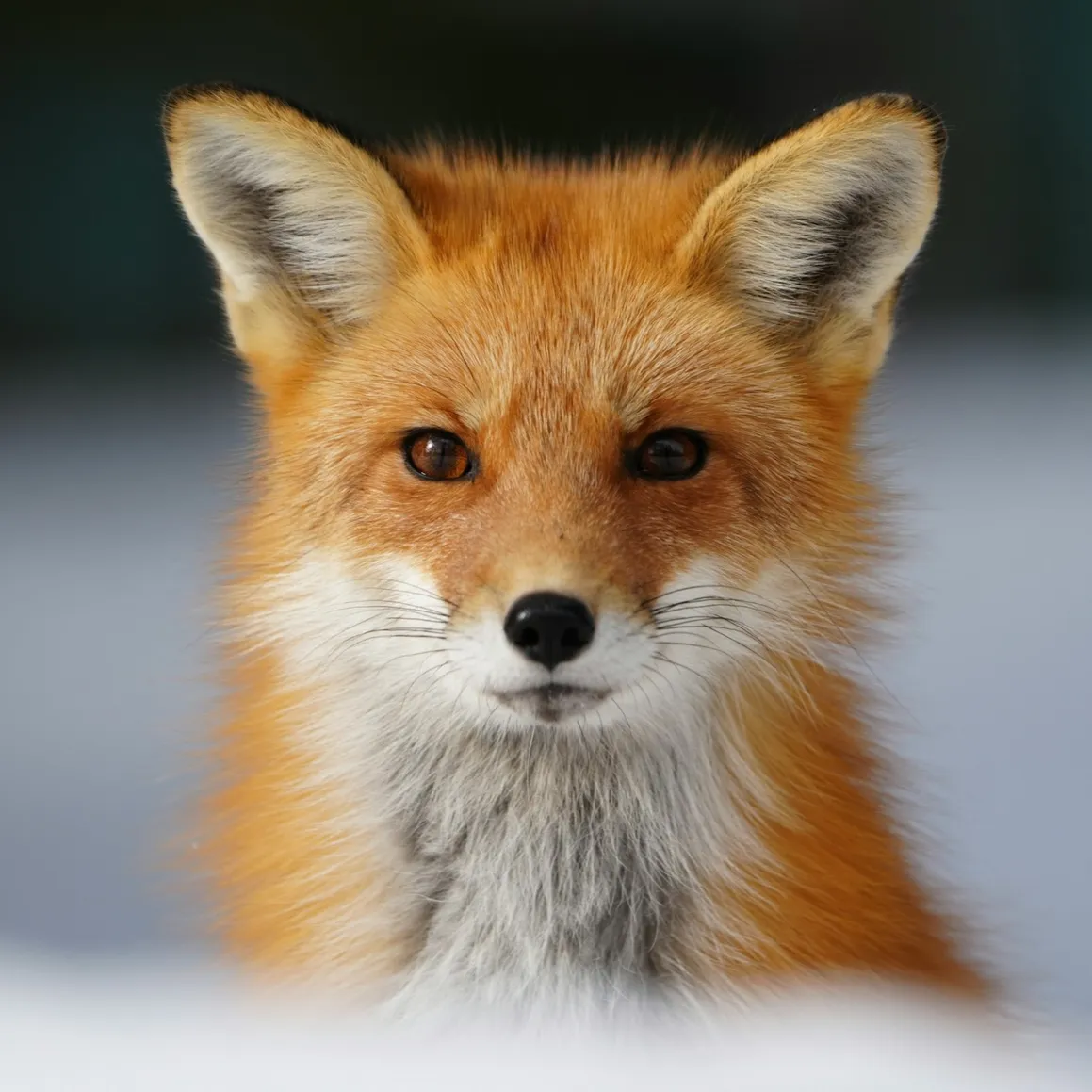
See a photo become a knitting chart
Inside the converter
What happens to your photo
1. Crop
Frame the motif you want to knit. A tighter crop spends more stitches on the subject and fewer on the background.
2. Size and colors
Set the width in stitches and the height in rows, up to 300 × 300 (700 × 700 with Pro). For a picture that knits up true to shape, unlock the aspect ratio and give it about 13 rows for every 10 stitches. Then choose how many colors: the converter picks them from the photo and shows how many stitches each one gets.
3. Fine-tune
Brightness, contrast and saturation change the photo before the colors are picked, so a dull or dark picture separates into clear areas of color.
4. Clean up confetti
The converter rates how many stray single stitches are left and can highlight them. Raise the cleanup strength to merge specks into the colors around them, so you change yarn less often.
5. Edit and knit
The chart opens in the editor. Fix any stitch, choose flat or in the round, and follow the written rows, each right-side and wrong-side row marked, ticking them off as you go.
Three knitting techniques
Stranded, intarsia or lace?
Knit Nordic Snowflake 🎄 Stranded and Fair Isle
Two colors per row, with the one you aren't using carried across the back. Suits small, repeating motifs and photos simplified to a few colors. Catch floats longer than 5 to 7 stitches so they don't snag.
Knit Intarsia Apple 🍎 Intarsia
Big blocks of color, each knit from its own bobbin and twisted with the next where they meet, so nothing floats across the back. It reads the same colorwork chart as stranded knitting; only the way you knit it changes.
Knit Eyelet Diamond 💠 Lace
Yarn overs and decreases drawn with knitting symbols, each with its wrong-side meaning. A photo can't become lace, so start from a lace chart and draw the stitches yourself.
Before you upload
Photos that make good knitting charts
Strong contrast
A subject that stands out from its background keeps its outline in stitches. If it doesn't, raise the contrast in the converter.
A plain background
Busy backgrounds turn into scattered single stitches, each one a color change. Crop them out, or pick a photo against a wall or the sky.
One subject, close up
A face, a pet or a single flower fills the chart. A whole scene spreads its detail too thin to show at knitted gauge.
Few colors
Every color is another strand to carry or another bobbin to manage. Start with three or four and add more only where the picture needs them.
Beyond the chart
Everything you need to finish the pattern
Written instructions
Every chart comes with row-by-row written instructions and a color legend with stitch counts.
Progress tracking
Follow the chart row by row: the row you're on is highlighted, and you pick up right where you left off.
Gauge and finished size
Enter your gauge to see how big the finished piece will be before you start.
Exports with no watermark
Download your chart as a PDF, PNG, or SVG with a free account.
Yours to sell
Sell the charts, instructions, and exports you make with StitchOwl, including commercially.
StitchOwl for pattern designersPhone, tablet, or computer
The full editor runs in your browser on any device, including with Apple Pencil.
Questions
Photo to knitting chart FAQ
Can I turn a picture into a knitting chart for free?
Yes. Converting a photo and getting every row written out is free, with no sign-up. A free account saves up to 5 charts and downloads them as PDF, PNG or SVG.
Does it work for Fair Isle or intarsia?
Yes. The photo becomes a colorwork chart with one color per stitch, which you can knit stranded, as in Fair Isle, or as intarsia. Stranded knitting suits small motifs with two colors per row; intarsia suits big blocks of color.
How many stitches and rows should my chart have?
Choose the width in stitches first, up to 300 on the free plan or 700 with Pro. Then unlock the aspect ratio and set the rows for your gauge, since knitted stitches are a little wider than they are tall: at 20 stitches and 26 rows per 4 in, a square photo 100 stitches wide needs 130 rows to knit up square.
How many colors can I use in a stranded row?
Traditional Fair Isle uses two per row: one you knit with and one carried behind. The converter doesn't limit colors per row, so check each row's color runs in the written instructions and recolor stitches in the editor where a row has more than two.
Is my photo uploaded?
No. Your photo is converted in the browser and never leaves your device. Saving stores the finished chart, not the photo.
Can I make a lace chart from a photo?
No. Lace is made of yarn overs and decreases, which a photo can't show. Convert the photo to a colorwork chart, or start a lace chart and draw it with the knitting symbols, each with its wrong-side meaning.
Can I download the chart as a PDF?
Yes, with a free account. Download a PDF in A4 or Letter with an optional color legend and the written instructions, or a PNG or SVG.
Free tools
Size it and plan the yarn
- Gauge calculatorTurn your swatch into the stitches and rows for any size, and adjust a pattern when your gauge doesn't match.
- Yarn calculatorWeigh or measure your swatch to find the grams, yards and balls of yarn your project needs.
- Knitting needle size chartConvert needle sizes between US, UK and millimeters, with Japanese sizes and the needle for your yarn weight.
- Row counterCount rows and pattern repeats with one tap or your keyboard, saved in your browser.
Your photo, as a knitting chart
Free with 5 saved charts, up to 300 × 300 stitches and 75 colors and symbols per chart. Pro raises that to 250 charts, 700 × 700 stitches and 250 colors and symbols. See pricing
What Should We Build Next? 🤔
Help us prioritize features by telling us what matters most to you. Or just give us feedback in general :)